

本文摘要一、后台添加开关$JAsideTagList = new Typecho_Widget_Helper_Form_Element_Select( 'JAsideTagList', array( 'off' => '关闭(默认)', 'on' => '开启' ), 'off...
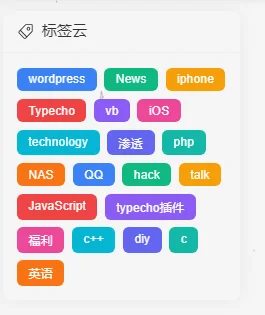
一、后台添加开关
$JAsideTagList = new Typecho_Widget_Helper_Form_Element_Select(
    'JAsideTagList',
    array(
        'off' => '关闭(默认)',
        'on' => '开启'
    ),
    'off',
    '【14】是否开启列表标签云 - PC',
    '介绍:用于设置侧边栏是否显示列表标签云'
);
$JAsideTagList->setAttribute('class', 'joe_content joe_aside');
$form->addInput($JAsideTagList->multiMode());二、修改aside.php
添加核心代码
三、添加CSS代码
/* 容器边距 */
.my-flat-tags-container {
    padding: 15px;
    display: flex;
    flex-wrap: wrap;
    gap: 8px;
}

/* 标签基础样式 */
.flat-tag-item {
    display: inline-block;
    padding: 5px 12px;
    border-radius: 6px;
    font-size: 13px;
    color: #fff !important;
    text-decoration: none !important;
    transition: all 0.3s cubic-bezier(0.25, 0.8, 0.25, 1);
    white-space: nowrap;
    position: relative;
    overflow: hidden;
}

/* 鼠标悬停动画效果:向上浮动 + 阴影 + 亮度 */
.flat-tag-item:hover {
    transform: translateY(-3px);
    box-shadow: 0 4px 10px rgba(0, 0, 0, 0.2);
    filter: brightness(1.1);
    color: #fff !important;
}

/* 方式二:自动分配背景色循环 (使用 10 种精选颜色) */
.flat-tag-item:nth-child(10n+1) { background-color: #3b82f6; }
.flat-tag-item:nth-child(10n+2) { background-color: #10b981; }
.flat-tag-item:nth-child(10n+3) { background-color: #f59e0b; }
.flat-tag-item:nth-child(10n+4) { background-color: #ef4444; }
.flat-tag-item:nth-child(10n+5) { background-color: #8b5cf6; }
.flat-tag-item:nth-child(10n+6) { background-color: #ec4899; }
.flat-tag-item:nth-child(10n+7) { background-color: #06b6d4; }
.flat-tag-item:nth-child(10n+8) { background-color: #6366f1; }
.flat-tag-item:nth-child(10n+9) { background-color: #14b8a6; }
.flat-tag-item:nth-child(10n+10) { background-color: #f97316; }觉得内容不错?我要
打赏杯咖啡或蜜雪冰城吧
微信扫一扫

支付宝扫一扫

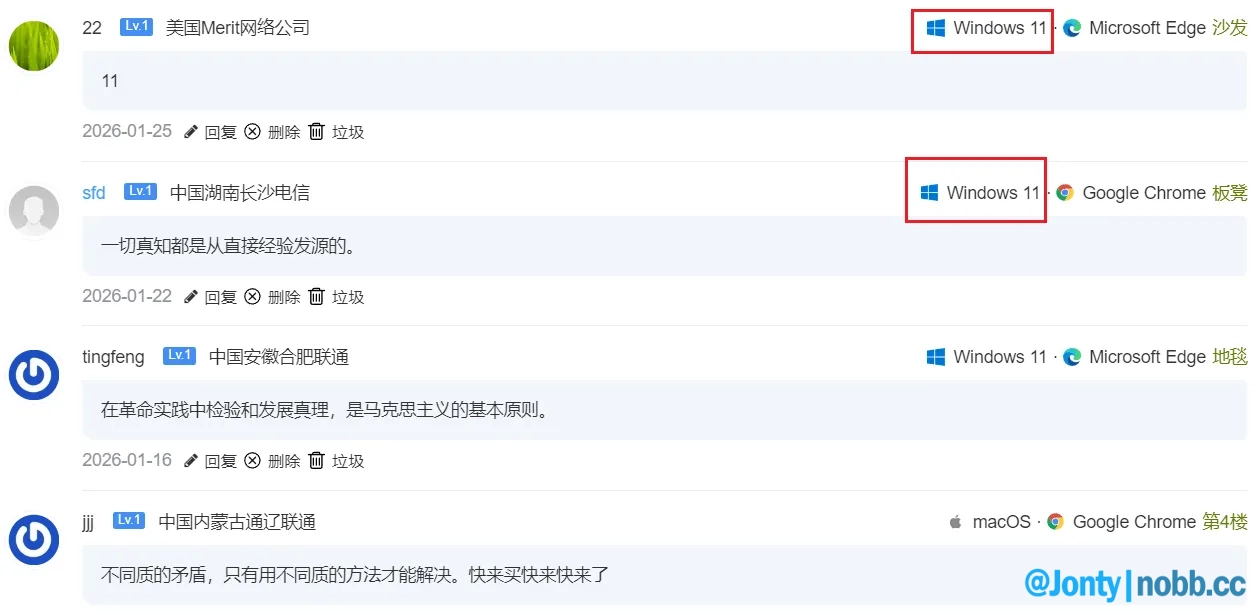

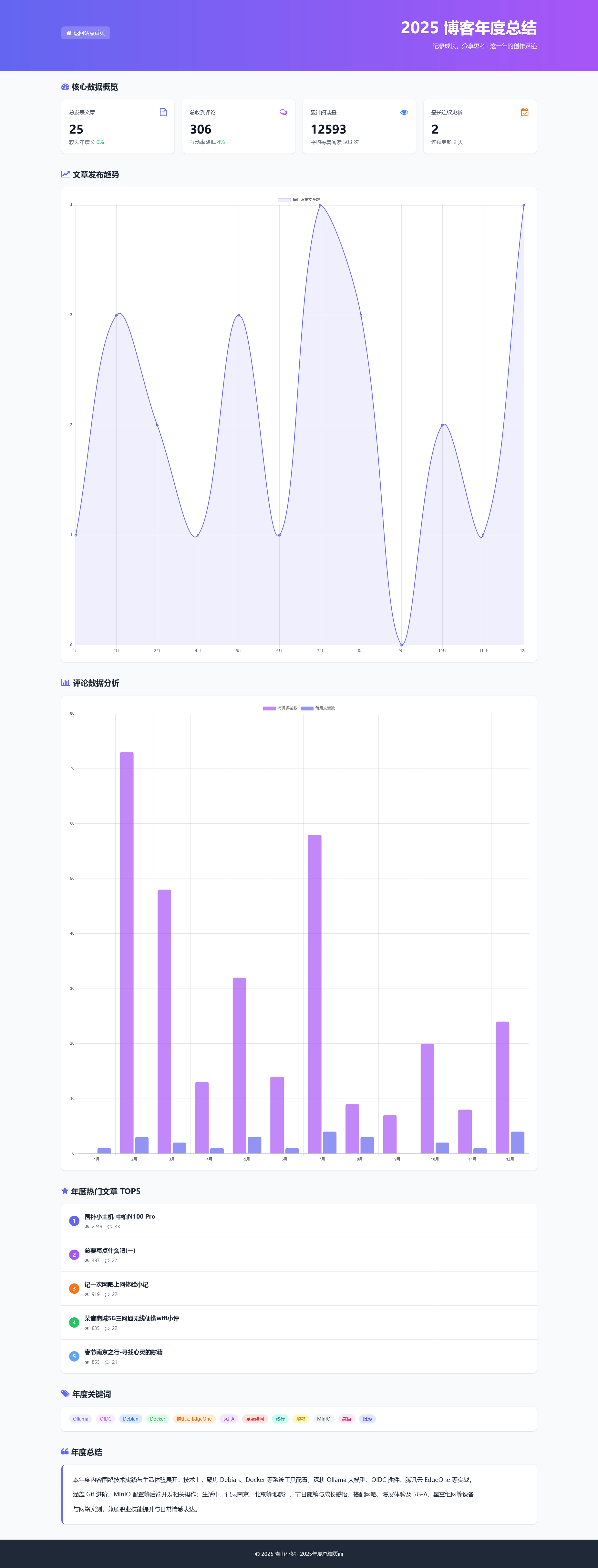
![[Typecho]2026本站同款主题-Joe2很久以前](https://tc.nobb.cc/t/imgs/2026/04/826754c183e26fdc.png)

不错,可以借鉴一下。
@ymz316 谢谢你的认可!很高兴这个教程对你有帮助。如果还有其他想看的内容,随时告诉我哦。😄
(🤖 AI智能回复)